20+ LinkedIn Post Examples by Industry & Format (2026)
Copy-ready LinkedIn post templates for SaaS, finance, consulting, healthcare, real estate, and coaching — organized by format so you can post with confidence.
No credit card required · 7-day free trial · Plans from $19/mo
Good LinkedIn post examples share a specific professional insight or story, open with a scroll-stopping hook, and close with a question that invites discussion. If you are searching for LinkedIn post ideas for professionals 2026, the highest-performing posts this year combine personal narrative with actionable, industry-specific advice rather than generic motivational quotes.
Key Takeaways
What Makes a Great LinkedIn Post in 2026?
The LinkedIn algorithm in 2026 prioritizes content that keeps people on the platform longer. That means posts which spark genuine conversation outperform those that simply broadcast information. According to  LinkedIn's own algorithm research
, posts that receive comments within the first hour get 4x the reach of posts that only get likes. The implication is clear: your post needs to say something worth responding to, not just worth reading. Every example in this collection is designed around that principle, opening with a hook that creates curiosity and closing with a question that pulls readers into the conversation.
LinkedIn's own algorithm research
, posts that receive comments within the first hour get 4x the reach of posts that only get likes. The implication is clear: your post needs to say something worth responding to, not just worth reading. Every example in this collection is designed around that principle, opening with a hook that creates curiosity and closing with a question that pulls readers into the conversation.
Format matters as much as content. A  2025 Hootsuite Social Trends report
found that carousel documents on LinkedIn receive 1.6x more engagement than static image posts, and text-only posts still outperform video in terms of comment rate. The best LinkedIn creators mix formats deliberately: text-only storytelling posts to build connection, carousels to demonstrate expertise, and image posts to present data or behind-the-scenes moments. Below you will find examples across all three formats, organized by industry so you can find templates that match your professional context immediately.
2025 Hootsuite Social Trends report
found that carousel documents on LinkedIn receive 1.6x more engagement than static image posts, and text-only posts still outperform video in terms of comment rate. The best LinkedIn creators mix formats deliberately: text-only storytelling posts to build connection, carousels to demonstrate expertise, and image posts to present data or behind-the-scenes moments. Below you will find examples across all three formats, organized by industry so you can find templates that match your professional context immediately.
Industry context is what separates forgettable LinkedIn posts from the ones that build your reputation. A healthcare executive sharing compliance insights speaks to a completely different audience than a SaaS founder sharing product-led growth metrics. Yet most LinkedIn advice treats all professionals the same.  Sprout Social research shows
that niche, industry-specific content generates 2.3x more saves and shares than broad professional development content. The examples below are organized by six industries so you can immediately adapt the ones closest to your field, and use the rest as structural inspiration for your own approach to LinkedIn content creation.
Sprout Social research shows
that niche, industry-specific content generates 2.3x more saves and shares than broad professional development content. The examples below are organized by six industries so you can immediately adapt the ones closest to your field, and use the rest as structural inspiration for your own approach to LinkedIn content creation.
LinkedIn Post Ideas for Professionals in 2026
Professional services firms — law, accounting, financial advisory, and management consulting — often struggle with LinkedIn because their work is confidential and their expertise feels hard to distill into a social post. The examples below solve that problem. Each is a copy-paste-ready post you can adapt with your own details and publish today. They follow the hook-story-takeaway structure that drives engagement while keeping the tone authoritative and compliant.
LinkedIn Post Examples for Professional Services
FOR ATTORNEYS
The Corporate Transparency Act just changed how every small business in America files ownership information. And most business owners have no idea. Starting this year, nearly all LLCs and corporations with fewer than 20 employees must report their beneficial owners to FinCEN. The penalties for non-compliance are steep: up to $500 per day in civil fines and potential criminal liability. Here is what every business owner needs to do right now: • Check whether your entity qualifies for an exemption • Gather government-issued ID for every beneficial owner • File your BOI report before the updated deadline • Set a calendar reminder for annual updates I have helped 40+ clients navigate this in the past quarter alone. The filing itself takes about 15 minutes once you have the documents together — the costly part is not knowing it exists. If you run a small business, talk to your attorney this week. Not next month. #CorporateTransparencyAct #BusinessLaw #SmallBusiness #LegalCompliance #BOIReport
FOR ACCOUNTANTS
Tax season is behind us, but the smartest moves happen now — not in April. Every year I see the same pattern: clients scramble to find deductions in March that they should have planned for in May. Here are four things you can do this month that will save you real money next filing season. 1. Open or max out your SEP-IRA or Solo 401(k) while your Q1 income is fresh and projections are accurate. 2. Review your estimated quarterly payments. Underpaying by even $1,000 per quarter triggers penalties that add up fast. 3. Audit your business expense categories. I reviewed a client's books last week and found $8,200 in misclassified expenses that would have been missed deductions. 4. Schedule a mid-year tax planning session with your CPA. One hour in June is worth ten in April. Tax planning is not a once-a-year event. The clients who pay the least in taxes are the ones who plan twelve months a year. What is one tax move you wish you had made sooner? #TaxPlanning #CPA #SmallBusinessTax #AccountingTips #TaxSeason2026
FOR FINANCIAL CONSULTANTS
The market dropped 4% last Tuesday and my phone lit up with panicked clients. My answer was the same for every call: "Let me show you what your portfolio looked like the last three times this happened." Here is what the data actually shows for diversified portfolios over the past 20 years: • Average intra-year decline: 14.2% • Average full-year return despite those declines: 9.8% • Number of years where staying invested beat selling and re-entering: 17 out of 20 The clients who stay calm are not braver than the ones who panic. They just have a written investment policy statement that tells them exactly what to do when volatility hits. If your financial plan changes every time the market moves, you do not have a plan. You have a reaction. Three things I recommend to every client this quarter: 1. Rebalance back to your target allocation 2. Tax-loss harvest anything down 10%+ in taxable accounts 3. Review your cash reserve — 6 months of expenses, not invested What is the best advice you have received during a market downturn? #FinancialPlanning #WealthManagement #MarketVolatility #InvestmentStrategy #FinancialAdvisor
FOR MANAGEMENT CONSULTANTS
A mid-market manufacturing client came to us with a familiar problem: revenue was flat for three consecutive quarters despite a 20% increase in sales headcount. The CEO assumed the team needed better training. After two weeks of diagnostic interviews and pipeline analysis, we found the real issue — the sales team was spending 55% of their time on administrative tasks that had nothing to do with selling. Here is what we changed: • Consolidated three CRM tools into one and automated data entry • Moved proposal creation to a dedicated ops role • Eliminated two recurring internal meetings that produced no decisions The result after 90 days: selling time per rep went from 18 hours per week to 31 hours. Pipeline value grew 42%. Revenue followed in Q2. The lesson I keep relearning with every engagement: the bottleneck is almost never what leadership thinks it is. Diagnosis before prescription saves months of wasted effort. Has your team ever solved a problem only to discover it was masking the real one? #ManagementConsulting #BusinessStrategy #OperationalExcellence #Leadership #ProcessImprovement
LinkedIn Post Examples for SaaS Professionals
SaaS posts that perform well on LinkedIn share product lessons, growth metrics, or counterintuitive startup wisdom.
We lost 23% of our paying users in 90 days.
Not because the product was broken. Because onboarding was.
Here's what we changed:
• Replaced our 12-step welcome wizard with a single "quick win" flow
• Added a human check-in email on day 3 (not automated — actually human)
• Removed 4 features from the free trial that confused new users
Result: churn dropped to 8% and activation rate doubled.
The lesson? Sometimes the best product improvement is removing things.
What's one feature you removed that actually helped your product?
Slide 1: "The pricing page that 3x'd our conversions"
Slide 2: Old pricing page — 4 tiers, feature matrix, enterprise CTA
Slide 3: Problem — visitors spent 6 min comparing plans, then left
Slide 4: New pricing page — 2 tiers, "most popular" badge, annual toggle
Slide 5: Results — conversion up 312%, support tickets down 40%
Slide 6: The principle — fewer choices = faster decisions
Slide 7: "Simplify your pricing. Your revenue will thank you."
[Image: screenshot of MRR dashboard]
$0 to $42K MRR in 11 months. No VC funding. No paid ads.
Our entire growth engine: 3 blog posts/week + LinkedIn content + a free tool that solved one specific problem.
The free tool alone drove 60% of signups. It cost us $200/mo to run.
Lesson: Give away your best work. It's the cheapest acquisition channel you'll ever find.
What's working for your SaaS growth right now?
Hot take: Most SaaS companies don't have a lead gen problem. They have a follow-up problem.
We tracked our pipeline for 6 months:
• Average response time to inbound leads: 47 hours
• Leads that went cold before first call: 62%
• Revenue lost to slow follow-up: ~$180K
We hired one SDR whose only job was responding within 15 minutes. Pipeline velocity doubled in a quarter.
Speed > sophistication. Every time.
How fast does your team respond to inbound?
LinkedIn Post Examples for Finance Professionals
Finance posts that build authority lead with data, simplify complex topics, and challenge conventional wisdom.
I've reviewed 200+ financial plans this year. The #1 mistake isn't poor investment choices.
It's having no plan at all.
68% of people I meet have a vague idea of retirement age but zero written strategy. They're saving into a 401k on autopilot and hoping it works out.
Here's what a plan actually needs:
• A specific monthly savings target (not "as much as I can")
• An emergency fund timeline
• Tax optimization beyond the standard deduction
• An annual review date on the calendar
The difference between hoping and planning is a spreadsheet and 2 hours of your time.
When's the last time you reviewed your financial plan?
Slide 1: "5 tax moves to make before Q2 ends"
Slide 2: Max out HSA contributions ($4,150 individual / $8,300 family)
Slide 3: Harvest Q1 losses to offset gains
Slide 4: Convert traditional IRA to Roth while market is volatile
Slide 5: Review estimated quarterly payments (avoid penalties)
Slide 6: Update beneficiary designations (most people forget this)
Slide 7: "Save this post. Your future self will thank you."
[Image: bar chart comparing S&P 500 returns across decades]
The market has been "about to crash" every single year of my career.
Here's what actually happened to investors who stayed in:
• 2018 correction → recovered in 4 months
• 2020 crash → new all-time high within 5 months
• 2022 bear market → fully recovered by early 2024
Time in the market beats timing the market. Every. Single. Time.
Are you investing based on headlines or a plan?
LinkedIn Post Examples for Consultants
Consulting posts that attract clients share frameworks, client transformation stories, and honest takes on the industry.
I turned down a $45K consulting engagement last month.
The client wanted me to build a 90-day strategy. But after our discovery call, I realized their real problem was execution, not strategy.
They already had 3 strategies sitting in Google Drive. None implemented.
What they needed was a fractional COO, not another consultant with a slide deck.
I referred them to someone better suited and they signed within a week.
Turning away work that isn't your zone of genius is the hardest — and smartest — business decision you can make.
Have you ever turned down a client because it wasn't the right fit?
Slide 1: "The discovery call framework that closes 70% of prospects"
Slide 2: First 5 min — Let them talk. Ask "what prompted this call?"
Slide 3: Min 5-15 — Dig into the cost of inaction ("what happens if nothing changes?")
Slide 4: Min 15-20 — Share ONE relevant case study (not your entire portfolio)
Slide 5: Min 20-25 — Outline a rough approach (not a full proposal)
Slide 6: Close — "Would it make sense to put together a focused proposal?"
Slide 7: "Your discovery call IS the sale. Treat it like one."
[Image: whiteboard photo of client journey map]
This whiteboard changed a client's entire business model.
We mapped every touchpoint from lead to loyal customer. Then we found it: a 3-week gap between purchase and first success milestone where 41% of customers churned.
The fix was embarrassingly simple — a 5-email onboarding sequence and a 15-minute setup call on day 2.
Churn dropped 28% in 60 days. Revenue up $340K annualized.
Most business problems aren't strategy problems. They're visibility problems.
What's one insight that changed how you serve clients?
Want LinkedIn Posts Like These — Written for You?
SocialBotify's AI LinkedIn post generator creates industry-specific content in your brand voice. Review, approve, and publish in minutes — not hours.
Try It Free →No credit card required · 7-day free trial · Plans from $19/mo
LinkedIn Post Examples for Healthcare Professionals
Healthcare LinkedIn posts that resonate share patient impact stories, industry insights, and leadership perspectives while maintaining professionalism.
A patient told me last week: "I Googled my symptoms and thought I was dying."
This is why healthcare professionals need to be on LinkedIn sharing accurate, accessible health information.
Every post we write that simplifies a complex medical topic is one less person spiraling down a WebMD rabbit hole at 2am.
3 things I've learned about medical content on LinkedIn:
• Simple language gets 5x more engagement than clinical terminology
• Personal stories (with consent) humanize healthcare
• Myth-busting posts consistently go viral
We don't just treat patients in our offices anymore. We educate them in their feeds.
Healthcare professionals: are you showing up on LinkedIn?
Slide 1: "Burnout isn't a badge of honor — it's a systems failure"
Slide 2: 63% of physicians report burnout symptoms (AMA 2025 data)
Slide 3: It's not about individual resilience — it's about workload design
Slide 4: What works: max 18 patients/day, protected admin time, scribe support
Slide 5: What doesn't work: pizza parties, meditation apps, wellness webinars
Slide 6: The ROI of preventing burnout: $500K per physician in replacement costs
Slide 7: "Fix the system. Stop blaming the people in it."
[Image: team photo at clinic opening]
Today we opened our third community health clinic. This one is in a neighborhood where the nearest primary care provider was a 45-minute bus ride away.
When we started 5 years ago, people said community clinics couldn't be financially sustainable. Here's how we proved them wrong:
• Sliding-scale fees based on income
• Partnerships with 3 local employers for employee health programs
• Preventive care focus that reduces ER visits by 35%
Healthcare access shouldn't depend on your zip code.
What's your organization doing to close the access gap?
LinkedIn Post Examples for Real Estate Professionals
Real estate agents who win on LinkedIn share market data, client success stories, and honest takes on the buying and selling process.
My client almost walked away from their dream home because of a $12,000 repair estimate.
Here's what I told them:
"That estimate is a negotiation tool, not a dealbreaker."
We asked the seller to credit $8,500 at closing. They agreed in 24 hours.
My client moved in last Friday. Total out-of-pocket for repairs? $3,200 (they got 3 quotes — the original estimate was inflated).
First-time buyers: every inspection finding is a conversation, not a crisis.
What's the best negotiation advice you've given or received?
Slide 1: "Q1 2026 Market Update: What the Data Actually Says"
Slide 2: Median home price: up 3.2% YoY (not the 15% some headlines claim)
Slide 3: Days on market: 28 avg (down from 34 in Q4 2025)
Slide 4: Inventory: still 22% below pre-pandemic levels
Slide 5: Interest rates: hovering at 5.8% — not great, not terrible
Slide 6: My take: it's a buyer's market for patience, seller's market for pricing
Slide 7: "DM me for a free market analysis of your neighborhood."
[Image: before/after staging photo]
Same house. Same price. One photo got 12 showing requests. The other got 2.
The only difference? $1,800 in staging.
What we did:
• Removed 60% of the owner's furniture
• Added neutral throw pillows and a few plants
• Hired a professional photographer ($350)
The home sold in 6 days, $15K over asking.
Staging isn't decorating. It's marketing.
Agents: what's your staging budget per listing?
Unpopular opinion: Open houses aren't for selling the house. They're for building your pipeline.
In 14 years of real estate, I can count on one hand how many homes sold directly from an open house.
But I can't count how many buyer relationships started at one.
My open house strategy:
• Sign-in sheet with "what are you looking for?" field
• Follow-up text within 2 hours (not a week later)
• Add to my monthly market update email
The house is the bait. The relationship is the catch.
Fellow agents: agree or disagree?
Looking for more real estate content ideas? Check out our 50 social media content ideas for real estate agents.
LinkedIn Post Examples for Coaches & Trainers
Coaching posts that attract clients lead with transformation stories, challenge limiting beliefs, and give away genuinely useful frameworks.
My client came to me wanting to "fix her confidence."
After 3 sessions, we discovered she didn't have a confidence problem. She had a boundaries problem.
She was saying yes to every project, every meeting, every "quick favor" — and then feeling incompetent because nothing got her full attention.
We didn't do affirmations. We built a decision filter:
• Does this align with my top 3 priorities?
• Am I the only person who can do this?
• Will I resent saying yes?
Within 6 weeks she turned down 2 projects and delivered her best quarter ever.
Sometimes the problem you think you have isn't the problem you actually have.
What's a time you discovered the real issue was different than expected?
Slide 1: "The morning routine that actually works (backed by science)"
Slide 2: Myth: You need to wake up at 5am. Reality: Consistency matters more than the hour
Slide 3: Step 1 — No phone for the first 30 min (cortisol spike research)
Slide 4: Step 2 — Move your body for 10 min (doesn't have to be a workout)
Slide 5: Step 3 — Write down your top 3 priorities for the day
Slide 6: Step 4 — Do the hardest task first (willpower peaks in the morning)
Slide 7: "Your morning sets the tone. What's your non-negotiable?"
[Image: screenshot of client testimonial message]
"I used to dread Mondays. Now I'm excited to start the week."
This message from a client made my entire year. When she started coaching 4 months ago, she was burned out, considering quitting her VP role, and barely sleeping.
We didn't overhaul her career. We made 3 changes:
• Delegated 2 recurring meetings to her direct reports
• Blocked Fridays as "deep work" days (no meetings)
• Started a weekly reflection practice (10 min, Sunday evening)
Small shifts. Massive impact.
What's one small change that transformed your work experience?
New for 2026: Post Examples on Trending Topics
The topics driving the highest comment volume on LinkedIn in Q1–Q2 2026: AI adoption at work, layoffs and career pivots, and the ongoing remote vs. hybrid debate. These four examples are built around those conversations.
I told my team: "Stop asking if AI will take your job."
The question that actually matters is: "What work am I doing today that AI will do cheaper by December?"
We ran the exercise as a team last week. Everyone listed 5 recurring tasks they own. Then we asked for each one:
• Could a competent junior do it with an AI tool?
• If yes — what's the higher-leverage thing I should be doing instead?
Nobody lost their job. But three people reshaped their roles entirely.
The people getting left behind in 2026 aren't the ones using AI. They're the ones still doing tasks AI already replaced.
What's one task you've offloaded this year?
I was laid off 11 weeks ago.
No severance drama. No dramatic goodbye post. Just a quiet Monday email.
Here's what I wish someone had told me on day one:
1) Apply to fewer jobs, faster. I sent 4 tailored applications a day instead of 40 generic ones. Interview rate: 30%.
2) Talk to 3 people a day. Not recruiters — peers. Every offer I'm now considering came from a conversation, not a portal.
3) Build in public while you search. The project I shipped in week 4 generated more inbound than my entire resume did.
I start the new role Monday. 40% comp increase, better scope, team I already respect.
If you're in the middle of a layoff right now: it compresses faster than you think. Stay public.
What helped you most during a career transition?
Slide 1: "We tracked productivity across 3 work models for 12 months. The results surprised us."
Slide 2: Context — 140-person B2B SaaS company, mix of IC and manager roles
Slide 3: Fully remote: highest focus time (4.2 hrs/day), lowest cross-team collaboration
Slide 4: Hybrid 3 days in office: highest reported satisfaction, middle on every productivity metric
Slide 5: Fully in office: fastest onboarding for new hires, highest meeting load
Slide 6: The real finding — no single model "won." Role type mattered more than location
Slide 7: ICs thrived remote. Managers thrived hybrid. New hires thrived in-office for their first 90 days
Slide 8: "Stop asking which model is best. Start asking which model fits which role." What does your data say?
[Image: side-by-side screenshot — "AI draft" vs. "my edit"]
Here's the uncomfortable truth about AI-generated content on LinkedIn right now:
The draft on the left took 4 seconds. The version on the right took 12 minutes.
The difference: I removed 3 generic claims and replaced them with the specific conversation I had with a customer yesterday. I cut two adjectives per sentence. I added one number.
Engagement on the left draft when I A/B tested it: 8 likes, 1 comment.
Engagement on the edited version: 340 likes, 47 comments.
AI doesn't replace your point of view. It removes the excuse of the blank page so you can get to your point of view faster.
What's your current AI-to-human editing ratio?
How Do You Choose the Right LinkedIn Post Format?
Choosing between text-only posts, carousels, and image posts is not about picking a favorite and sticking with it. Each format serves a distinct purpose in your LinkedIn content strategy, and the most effective creators rotate between all three deliberately. Text-only posts excel at storytelling and personal reflection because they feel intimate and conversational, like a message from a friend rather than a marketing asset. They are also the fastest to create and the easiest to test, making them ideal for sharing opinions, lessons learned, and industry commentary. If you are just starting to build your LinkedIn presence, begin with text-only posts to find your voice before adding visual formats to your content strategy.
Carousel posts work best when you have a step-by-step framework, a comparison, or a data-driven argument that benefits from visual structure. The swipe mechanic keeps readers engaged longer, which signals to LinkedIn's algorithm that your content is worth showing to more people. According to  HubSpot's State of Marketing report
, carousel documents on LinkedIn receive the highest average impressions of any content type. They require more effort to produce, but a single high-performing carousel can generate leads for weeks. Image posts sit between the two: they are quick to create but add a visual element that stops the scroll, particularly when you share data charts, team photos, or behind-the-scenes snapshots from your work.
HubSpot's State of Marketing report
, carousel documents on LinkedIn receive the highest average impressions of any content type. They require more effort to produce, but a single high-performing carousel can generate leads for weeks. Image posts sit between the two: they are quick to create but add a visual element that stops the scroll, particularly when you share data charts, team photos, or behind-the-scenes snapshots from your work.
The ideal mix for most professionals is roughly 50% text-only posts, 30% carousels, and 20% image posts. This ratio gives you consistent output without burning out on visual content creation. If producing carousels feels overwhelming, tools like SocialBotify's AI post generator can help you create all three formats automatically, adapting the content to your industry and brand voice. The key is variety: audiences who see the same format every day tune out, while a mix of formats keeps your profile fresh and your engagement metrics climbing. Use our LinkedIn analytics guide to track which formats are actually working for your audience. Start with the examples above, adapt them to your experience, and publish consistently.
LinkedIn Post Templates by Industry
Copy these templates, replace the bracketed placeholders with your own details, and post. Each one follows the hook-story-takeaway structure that drives engagement on LinkedIn. Adapt the tone and specifics to your audience — the framework works across any role or company size.
SaaS
We lost [NUMBER]% of trial users at the same step for [TIME PERIOD]. The fix wasn't a product change. It was an onboarding email. Here's what we did: 1. Identified the drop-off point in [TOOL/ANALYTICS PLATFORM] 2. Wrote a single email addressing the #1 objection at that stage 3. Tested it against our existing sequence for [TIME PERIOD] Result: [METRIC] improved by [NUMBER]%. The lesson? Sometimes the product isn't broken — the explanation is. What's one onboarding change that moved the needle for your SaaS?
Consulting
A client came to me with a [PROBLEM DESCRIPTION]. They'd already tried [COMMON SOLUTION] and [COMMON SOLUTION]. Instead of [EXPECTED APPROACH], we did something different: → [SPECIFIC ACTION 1] → [SPECIFIC ACTION 2] → [SPECIFIC ACTION 3] Within [TIME PERIOD], [MEASURABLE RESULT]. The insight most [INDUSTRY] leaders miss: [ONE-SENTENCE CONTRARIAN TAKEAWAY]. Has anyone else seen this pattern? I'd love to hear how you approached it.
HR & People Ops
We changed one thing about our [HIRING/ONBOARDING/RETENTION] process and [METRIC] improved by [NUMBER]%. Here's what it was: Before: [OLD PROCESS DESCRIPTION] After: [NEW PROCESS DESCRIPTION] The difference came down to [ONE KEY INSIGHT]. [NUMBER] months later, we're still seeing the impact in our [METRIC/SURVEY/RETENTION RATE]. What's one HR process change you made that had an outsized impact?
Finance
I reviewed [NUMBER] [CLIENT/PORTFOLIO/COMPANY] financial plans this quarter. The #1 mistake I keep seeing: [SPECIFIC MISTAKE DESCRIPTION] Why it matters: • [CONSEQUENCE 1] • [CONSEQUENCE 2] • [CONSEQUENCE 3] The fix is simpler than you'd think: [ONE-SENTENCE SOLUTION]. If you're in [ROLE/INDUSTRY], bookmark this. Your future self will thank you. What financial blind spot do you see most often in your field?
Healthcare
[NUMBER] years in [SPECIALTY/ROLE] and this still surprises me: [COUNTERINTUITIVE OBSERVATION ABOUT PATIENT CARE, OPERATIONS, OR POLICY] Most people assume [COMMON ASSUMPTION]. But the data shows [EVIDENCE OR ANECDOTE]. What I tell every new [COLLEAGUE/RESIDENT/TEAM MEMBER]: [ONE PRACTICAL PIECE OF ADVICE] Healthcare professionals — what's one thing you wish more people understood about your day-to-day?
Real Estate
I just closed a deal that almost fell apart [NUMBER] times. Here's what saved it: The buyer wanted [REQUIREMENT]. The seller wouldn't budge on [ISSUE]. The inspection revealed [COMPLICATION]. Most agents would have [COMMON REACTION]. Instead, I [SPECIFIC ACTION]. The result: both sides walked away happy and the deal closed in [TIMELINE]. The skill that matters most in real estate isn't sales. It's [YOUR ONE-WORD ANSWER]. Agents: what's the toughest deal you've saved this year?
Want templates like these generated automatically for your industry? SocialBotify's AI post generator creates LinkedIn posts tailored to your brand voice and niche — no placeholders to fill in.
Frequently Asked Questions About LinkedIn Posts
What are good LinkedIn post examples?
Good LinkedIn post examples share a specific professional insight or story, open with a scroll-stopping hook in the first line, and close with a question that invites genuine discussion. The best-performing posts combine personal narrative with actionable, industry-specific advice rather than generic motivational quotes. Posts that include concrete numbers, real client stories, or contrarian opinions consistently outperform safe, corporate-sounding content.
How long should a LinkedIn post be in 2026?
LinkedIn posts between 1,200 and 1,600 characters tend to get the highest engagement in 2026. Short posts under 300 characters can work for polls and quick takes, but medium-length posts that tell a complete story with a clear takeaway consistently outperform both very short and very long content. The character limit on LinkedIn is 3,000, but going over 2,000 characters usually means your post would work better as an article or carousel.
What types of LinkedIn posts get the most engagement?
Text-only storytelling posts, carousel documents sharing step-by-step frameworks, and image posts with data visualizations currently drive the most engagement on LinkedIn. Posts that share personal lessons, contrarian opinions, or behind-the-scenes business insights consistently outperform promotional content. Ending with a specific, open-ended question can increase comment rates significantly compared to posts without a call to engage.
Related Resources
- AI LinkedIn Post Generator — Create LinkedIn posts in your brand voice automatically
- How to Write LinkedIn Posts That Get Engagement — 20+ formats with examples
- How to Schedule LinkedIn Posts with AI — Automate your LinkedIn publishing
- LinkedIn Analytics Guide — Read your stats and use them to improve your posts
- Social Media Automation Guide — Save hours every week on content
- 100 Social Media Post Ideas — Ideas for every platform and industry
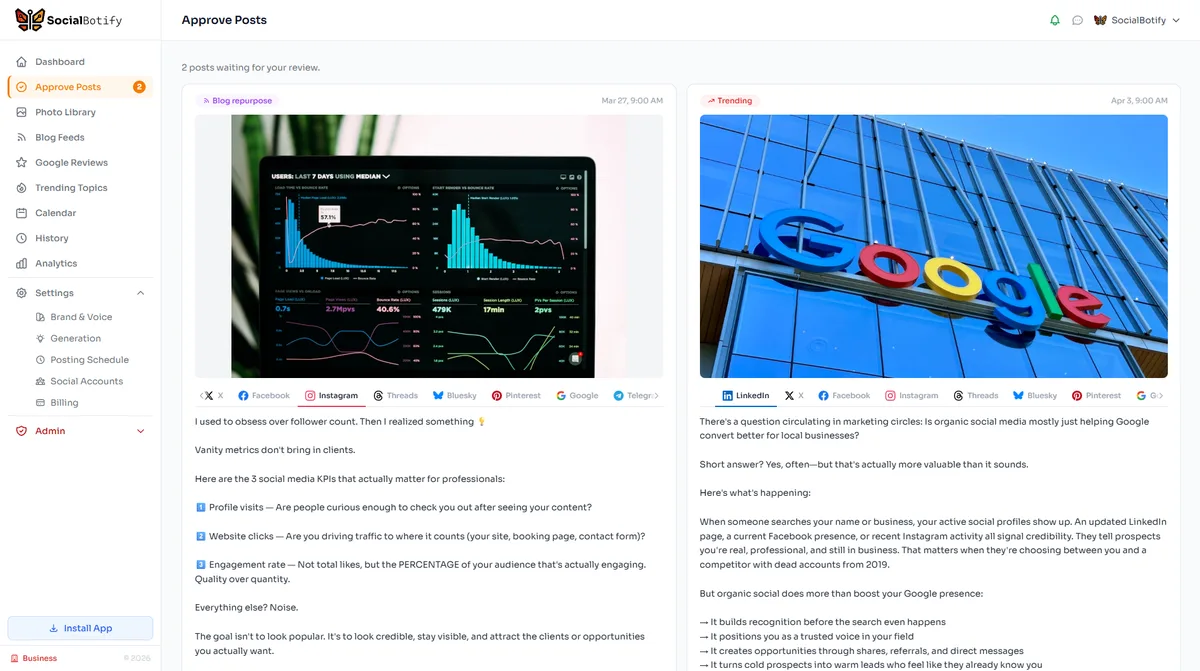
Stop Staring at a Blank LinkedIn Editor
SocialBotify generates industry-specific LinkedIn posts in your voice. Review, approve, and publish — your entire week of content in 5 minutes.
Start Your Free Trial →No credit card required · 7-day free trial · Plans from $19/mo