How to Write LinkedIn Posts That Get Engagement
20+ proven post formats, real examples, and the exact structure top creators use to turn every post into a conversation.
No credit card required · 7-day free trial · Plans from $19/mo
Key Takeaways
Why Does Writing LinkedIn Posts Well Matter So Much in 2026?
LinkedIn has over one billion members, but fewer than 1% of them post content regularly. That asymmetry creates an enormous opportunity. Every post you publish reaches people who are scrolling but never creating, and those passive readers include hiring managers, potential clients, investors, and collaborators. The professionals who post consistently are the ones who get inbound opportunities without cold outreach, because their content has already built trust and demonstrated expertise before any conversation starts.
But posting frequently is not enough. The LinkedIn feed is increasingly crowded with low-effort content: recycled motivational quotes, hollow announcements, and cookie-cutter AI output. According to Hootsuite's 2025 Social Trends Report, engagement rates on LinkedIn dropped 14% year-over-year for accounts posting generic content, while accounts using story-driven and opinion-based formats saw engagement increase by 22%. The divide between posts that work and posts that vanish is widening, and it comes down to format, structure, and authenticity.
The good news is that writing great LinkedIn posts is a learnable skill. You do not need to be a natural writer or spend hours on each post. What you need is a library of proven formats you can rotate through, a strong opening hook, and enough personal detail to make your content stand out. This guide gives you all three, with examples you can adapt to any industry or role.
What Makes a LinkedIn Post Get Engagement?
Before diving into specific formats, understand the four structural elements that every high-performing LinkedIn post shares. Research from Sprout Social found that posts incorporating all four elements received 3.7 times more engagement than posts missing even one. These elements work regardless of your industry, seniority level, or post topic.
1. A Hook That Stops the Scroll
LinkedIn truncates posts after roughly two lines on mobile. Your first sentence must create enough curiosity or tension to earn the "see more" click. Lead with a surprising number, a contrarian opinion, or a question that challenges a common assumption. Never start with "I'm thrilled to announce" or "In today's fast-paced world."
2. Readable Formatting
Use short paragraphs (1-3 sentences), line breaks between ideas, and numbered or bulleted lists for scannability. Dense walls of text perform terribly on mobile, where over 60% of LinkedIn traffic originates. White space is your friend.
3. Personal Specificity
Replace generic advice with concrete details from your experience. "We increased retention by 23% in Q3" beats "retention is important." Specific stories, numbers, and named situations make content memorable and shareable. People connect with specifics, not generalities.
4. A Conversation-Starting Close
End with a specific question your audience wants to answer. "What's the worst onboarding experience you've had at a company?" generates far more comments than "Agree?" The more specific the question, the more specific (and abundant) the replies.
20+ LinkedIn Post Ideas and Formats That Drive Engagement
Rotating through different formats keeps your content fresh and appeals to different segments of your audience. Here are the formats that consistently perform well, organized by category, with example hooks you can adapt. If you want to go beyond text posts, see our guide on LinkedIn carousel posts — document-format carousels get up to 3x more reach than standard posts.
Thought Leadership Posts
1. The Industry Prediction
Share where you think your industry is heading and why. Take a definitive position rather than hedging.
"By 2028, 80% of B2B sales teams won't have SDRs. Here's why I'm already restructuring my team..."
2. The Contrarian Take
Challenge a widely accepted belief in your field. Explain your reasoning with evidence.
"Unpopular opinion: Daily standups are killing your team's productivity. We replaced them with async updates and shipped 40% faster."
3. The Framework Post
Share a mental model or decision-making framework you use. Name it for memorability.
"I use the '10/10/10 Rule' for every major hiring decision: Will this matter in 10 minutes? 10 months? 10 years?"
Storytelling Posts
4. The Failure Story
Share a professional mistake and the lesson it taught you. Vulnerability builds trust and relatability.
"I lost our biggest client last year. $240K in annual revenue, gone in one email. Here's the mistake I made and what I do differently now..."
5. The Origin Story
Tell how you got into your industry or started your company. People remember stories, not resumes.
"10 years ago I was a barista making $9/hour. Last month my startup crossed $2M ARR. The turning point wasn't what you'd expect..."
6. The Client Story
Share a challenge a client faced and how it was resolved (with permission). This is a case study disguised as a story.
"A founder came to me last month spending $12K/mo on ads with zero attributable revenue. Two weeks later, we found where the money was actually going..."
Engagement-Driving Posts
7. The Question Post
Ask a single, specific question that your audience has strong opinions about. Keep the intro short.
"What's one tool you pay for that you'd never give up, even if your budget got cut in half?"
8. The Poll-Style Post
Present 3-4 options and ask your audience to pick one. Even without LinkedIn's poll feature, this format generates comments.
"Hiring managers: which matters most? A) Portfolio quality B) Culture fit C) Years of experience D) Referral from someone you trust. Drop your answer below."
9. The "This or That" Post
Pose a binary choice relevant to your field. The simplicity makes it easy for people to respond.
"Remote work with a 20% pay cut or office-only with a 20% raise? I know my answer. What's yours?"
Educational and How-To Posts
10. The Step-by-Step Guide
Break a process into numbered steps. Practical, actionable content gets saved and shared.
"How I prepare for a sales call in 15 minutes (this process helped me close 3 deals last month): Step 1..."
11. The Myth-Busting Post
Take a common belief in your industry and explain why it is wrong, with evidence.
"'You need to post every day on LinkedIn to grow.' I posted 3x/week for 6 months and grew faster than when I posted daily. Here's the data..."
12. The Tool Stack Post
Share the specific tools you use for your work. People love discovering new tools through trusted recommendations.
"My entire content creation stack costs $87/month. Here are the 5 tools I use and why I picked each one..."
List Posts
13. The "X Things I Learned" List
Share lessons from a specific experience. The numbered format is scannable and specific.
"7 things I learned from running a team of 30 across 4 time zones (that no management book mentions):"
14. The "Do This, Not That" List
Pair common mistakes with better alternatives. The contrast format is highly shareable.
"5 email subject lines that get opened vs. 5 that get deleted. Real examples from my inbox this week:"
Personal Brand and Behind-the-Scenes Posts
15. The Behind-the-Scenes Post
Show the messy middle of your work. People love seeing how things actually get done.
"Here's what launching a product actually looks like. It's not the polished Product Hunt page. It's the Slack thread at 2am where my co-founder said 'the payment system is broken.'"
16. The Milestone Post
Celebrate an achievement but focus on the journey and lessons, not just the result.
"We just hit 1,000 customers. It took 14 months. Here are 5 things that almost killed the business along the way..."
17. The Day-in-the-Life Post
Walk through a typical workday. This format performs especially well in niche industries people are curious about.
"What does a fractional CMO actually do all day? Here's my Tuesday from last week, hour by hour:"
Case Study and Data Posts
18. The Case Study Post
Share a specific result with the problem, approach, and outcome. Use real numbers where possible.
"A client's email open rate was 12%. We changed one thing and it jumped to 38% in 30 days. Here's exactly what we did..."
19. The Data Insight Post
Share a surprising finding from your own data or industry research. Lead with the number.
"We analyzed 500 cold emails sent by our sales team. The ones that mentioned a specific pain point got 4x more replies than the ones that led with our product features."
Hot Take and Opinion Posts
20. The "Rant" Post
Call out something broken in your industry. Be constructive but passionate. These posts tend to go viral.
"Stop requiring cover letters. Nobody reads them. The last 5 hires I made didn't submit one, and they've outperformed everyone who did."
21. The "Unpopular Opinion" Post
State a belief that goes against consensus in your field. These generate strong engagement from both agreers and disagreers.
"Unpopular opinion: Networking events are a waste of time. Every major career opportunity I've gotten came from creating content, not from exchanging business cards."
22. The "What Nobody Tells You" Post
Share an insider truth about your industry or role. The "secret knowledge" angle is irresistible.
"What nobody tells you about being a founder: The loneliness is worse than the financial stress. Here are 4 things I wish someone had told me before I started..."
Before and After: Generic vs. Strong LinkedIn Posts
The difference between a post that disappears and one that generates dozens of comments often comes down to specificity and structure. Here are three real transformations using the formats above.
Example 1: Career Advice Post
"Want to advance your career? Here are my tips: 1) Network actively 2) Keep learning new skills 3) Find a mentor 4) Set clear goals 5) Work hard and stay positive. Success doesn't happen overnight. Stay the course! What are your best career tips? #Career #Growth #Success"
"I got promoted twice in 18 months. Not because I worked harder than everyone else. Because I did one thing nobody else on my team was doing: I sent my manager a weekly 3-bullet summary of my impact. Every Friday, same format. What I shipped. What it moved. What's next. After 6 weeks, she told me she started forwarding them to her VP. That visibility did more for my career than any networking event. What's one habit that accelerated your career that most people overlook?"
Example 2: Product Launch Post
"Excited to announce that we just launched our new product! After months of hard work, our amazing team has created something truly innovative. Check it out at our website. We can't wait to hear your feedback! #ProductLaunch #Innovation #Excited"
"We almost didn't build this product. Six months ago, I was ready to kill the project. Usage was flat. The team was frustrated. Then one customer said: 'Your tool is great, but I need it to work while I'm not looking at it.' That sentence changed everything. We rebuilt from scratch around automation. Today, 340 beta users save an average of 4.2 hours per week using what we created. If you manage social media for a brand, I'd love your honest take on what we built."
Example 3: Industry Commentary Post
"AI is changing the way we work. Every industry will be impacted by artificial intelligence in the coming years. Companies that embrace AI will thrive, while those that resist will fall behind. Are you prepared for the AI revolution? #AI #FutureOfWork #Technology"
"My marketing team of 4 now produces the same volume of content as a team of 12 did two years ago. But here's what nobody talks about: the bottleneck moved. We're no longer short on content. We're short on distribution and feedback loops. AI made writing fast. It didn't make strategy fast. The companies winning right now aren't the ones producing the most content. They're the ones with the tightest feedback loop between what they publish and what they learn. How has AI shifted the bottleneck in your work?"
Don't Want to Write Every Post from Scratch?
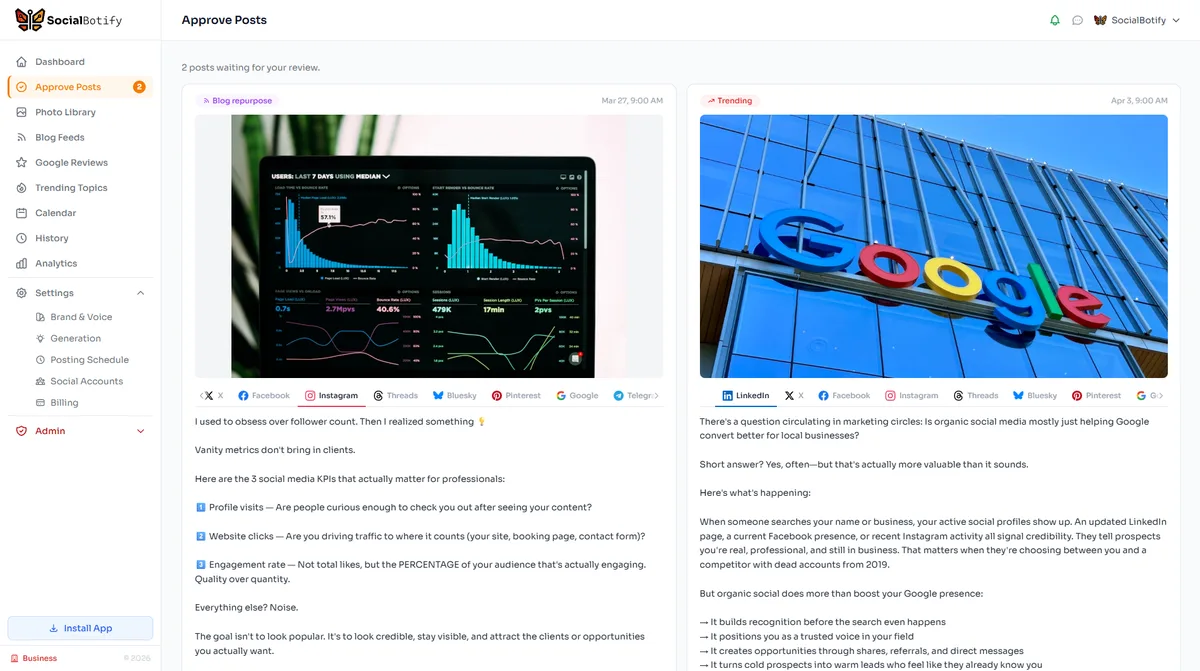
SocialBotify's LinkedIn Post Generator creates posts in all 20+ formats above, matched to your brand voice and industry. Generate a week of content in 60 seconds, then personalize and approve.
Try It Free for 7 Days →No credit card required · Plans from $19/mo
How Do You Personalize AI-Generated LinkedIn Drafts?
AI tools are excellent at generating structure, format variety, and first drafts. But the posts that perform best on LinkedIn are the ones that feel unmistakably human. The most effective approach is to use AI as your writing partner, not your ghostwriter. According to HubSpot's 2025 State of AI report, marketers who edit AI drafts before publishing see 56% higher engagement than those who publish AI output directly. Here is a practical framework for turning any AI draft into a post that sounds like you wrote it at your sharpest moment and fastest typing speed.
The key principle is that AI handles the format and structure, while you supply the lived experience and genuine opinion. This division of labor lets you post consistently without sacrificing authenticity. You can learn more about this process in our guide to making AI LinkedIn posts sound human, and zoom out to the broader plan with our 2026 LinkedIn content strategy guide.
The 5-Step Personalization Process
Swap the Hook
Replace the AI's opening line with something from your own experience. A real moment, a real number, or a real conversation you had this week.
Inject a Specific Example
Find the most generic paragraph and replace it with a concrete anecdote. Name a tool, a client situation, or a metric. Specificity is the antidote to AI blandness.
Kill the Corporate Phrases
Search for "leverage," "synergy," "in today's landscape," "I'm thrilled," and any phrase you would never say out loud to a colleague. Replace with how you actually talk.
Add Your Actual Opinion
AI tends to hedge. Find the thesis of the post and make it stronger. If the AI says "it can be helpful to consider," change it to "you need to do this" or "I've seen this fail every time."
Sharpen the Closing Question
Replace any generic "What do you think?" with a question tied to the specific topic of the post. The more specific the question, the more comments you will get.
This process takes two to three minutes per post. Over a week of five posts, that is fifteen minutes of editing for a full week of authentic, engaging LinkedIn content. When you pair this with a tool like SocialBotify that already understands your brand voice and generates posts in the right formats, the editing time drops even further because the drafts start closer to your natural style from the beginning.
Building a Weekly LinkedIn Content Rotation
The biggest mistake professionals make on LinkedIn is posting the same type of content every day. If every post is a motivational story, your audience tunes out. If every post is a list of tips, it starts to feel like a textbook. The solution is a content rotation that mixes formats throughout the week, keeping your feed varied and your audience engaged with different types of value.
Here is a sample weekly rotation using the formats from this guide. Adapt the specific formats to match your goals, whether that is building authority, generating leads, or growing your network. The principle of variety remains the same regardless of which formats you choose. For a deeper dive into posting cadence, see our social media automation guide.
| Day | Format | Goal |
|---|---|---|
| Monday | Thought Leadership / Framework | Establish authority |
| Tuesday | Storytelling / Failure Story | Build relatability |
| Wednesday | How-To / Step-by-Step | Provide actionable value |
| Thursday | Question / Poll-Style | Drive comments |
| Friday | Behind-the-Scenes / Hot Take | Show personality |
This rotation ensures your audience never sees the same format twice in a row. Over time, you will discover which formats resonate most with your specific audience and can weight your rotation accordingly. The LinkedIn algorithm also favors accounts that generate diverse engagement signals including likes, comments, shares, and saves, and different formats naturally trigger different types of interaction.
Frequently Asked Questions
Want AI to handle your LinkedIn content automatically? See our guide to AI-generated LinkedIn posts that sound human.
Stop Staring at a Blank LinkedIn Editor
SocialBotify generates a full week of LinkedIn posts in 20+ formats, matched to your voice. Review, personalize, and approve in minutes.
Start Your Free Trial →No credit card required · Cancel anytime