How to Repurpose Blog Posts into Social Media Content
One blog post can fuel two weeks of social media. Learn the 5-step framework to turn every article into 10-15 platform-ready posts without starting from scratch.
No credit card · 7-day free trial · From $19/mo

Why Repurpose Blog Content for Social Media?
Most businesses publish a blog post, share it once on social media, and never touch it again. That is an enormous waste of effort. The average blog post takes three to four hours to research, write, and edit. Sharing it as a single link post recovers a fraction of that investment. Repurposing extracts the full value from every piece of content you create, reaching audiences who would never have found the original article. People who scroll LinkedIn during lunch are not the same people who read your blog on Saturday morning, yet both audiences benefit from the same insights delivered in a format they prefer.
According to HubSpot's marketing research, businesses that repurpose content see up to 60% more engagement compared to those that create every post from scratch. Repurposing also reinforces your message through repetition. Marketing research consistently shows that audiences need to encounter a message seven or more times before it drives action.
Beyond reach, repurposing solves the biggest challenge in social media content strategy: consistency. When you have a system for turning blog posts into social content, you never face a blank page. Your editorial calendar fills itself because every new blog article automatically generates a week or more of social posts. This is especially powerful when combined with a content calendar that maps repurposed content across platforms and dates.
Step 1: Extract Key Quotes and Statistics
Every blog post contains data points, bold claims, and concise insights that work as standalone social media posts. Read through your article with a highlighter mindset. Look for sentences that would make someone stop scrolling: surprising statistics, contrarian opinions, clear how-to statements, or memorable analogies. A 1,500-word blog post typically yields five to eight of these shareable moments.
Statistics perform especially well on social media because they provide immediate value without requiring the reader to click through. A post that says "Companies that repurpose blog content generate 60% more social engagement" delivers the insight right in the feed. Pair the statistic with one sentence of context and a question to drive comments.
Example: Extracting from a Blog Post
Step 2: Turn Sections into Standalone Tips
Your blog post is already organized into sections, each covering a distinct idea. Treat each section as raw material for a standalone social media post. The heading becomes your hook, the first paragraph becomes your context, and the key takeaway becomes your closing line. You are not copying and pasting. You are distilling each section into a format that works in a social feed where attention spans are measured in seconds.
LinkedIn's own research shows that posts offering actionable tips receive 30% more engagement than generic thought leadership. Each blog section is an actionable tip waiting to be extracted. A blog post with six sections gives you six ready-made posts, and each one can be adapted for multiple platforms.
Blog Section to Social Post
Step 3: Create Question-Based Posts
Questions are the most powerful engagement triggers on social media. Every heading in your blog post can be flipped into a question that invites your audience to share their perspective before you reveal the answer. This approach works because it triggers what psychologists call the curiosity gap: people see the question, form their own opinion, and then want to compare it against your answer. The result is higher comment rates and extended reach through algorithmic amplification of engagement.
The technique is simple. Take your blog heading, rephrase it as a question, add a brief setup sentence, then share the key insight from that section. End with an invitation to comment. For example, a blog section titled "The Best Time to Post on LinkedIn" becomes "What time do you post on LinkedIn? Most people guess wrong. Here is what the data actually shows." This format consistently outperforms link-sharing posts.
Step 4: Build Carousel or Thread Content
Blog posts that contain numbered lists, step-by-step instructions, or comparison sections are ideal for carousel posts on LinkedIn and Instagram or threads on Twitter. Each list item or step becomes one slide or one tweet in a thread. This format performs exceptionally well because it rewards the viewer for swiping or clicking through, which signals high engagement to the algorithm.
Sprout Social reports that carousel posts on LinkedIn generate up to 3x more engagement than text-only posts. The key is structuring each slide to deliver one clear idea with minimal text. Use the first slide as a hook, the middle slides for value, and the last slide as a call to action.
Blog Listicle to LinkedIn Carousel
Step 5: Adapt for Each Platform
The same insight needs different packaging depending on where it appears. A LinkedIn post can be three paragraphs of professional analysis, but a tweet must distill that same idea into 280 characters. Instagram demands a visual-first approach with a conversational caption, while Facebook works best with a personal angle that encourages sharing. Repurposing does not mean copying the same text across platforms. It means adapting the core message for each audience.
This is where social media automation tools save the most time. Manually rewriting a post five different ways is tedious. AI-powered tools like SocialBotify take one core idea and automatically generate platform-specific versions that match each network's tone, length, and format requirements.
| Platform | Tone | Length | Best Format |
|---|---|---|---|
 LinkedIn
 |
Professional | 150-300 words | Story + insight + CTA |
 X (Twitter)
 |
Concise | Under 280 chars | Hook + insight or thread |
 Instagram
 |
Conversational | 50-150 words | Visual + caption + hashtags |
 Facebook
 |
Personal | 100-250 words | Story angle + link or image |
 Pinterest
 |
Descriptive | 50-100 words | Keyword-rich pin + link |
How Many Social Posts Can One Blog Post Generate?
A typical 1,500-word blog post with five to six sections, a few statistics, and a listicle component can produce the following breakdown of social media content. This is not theoretical. This is what a systematic repurposing workflow produces from a single article. Combined with a tool like SocialBotify that automates the platform adaptation step, you can generate an entire content calendar from your existing blog archive without writing a single post from scratch.
Blog Repurposing FAQ
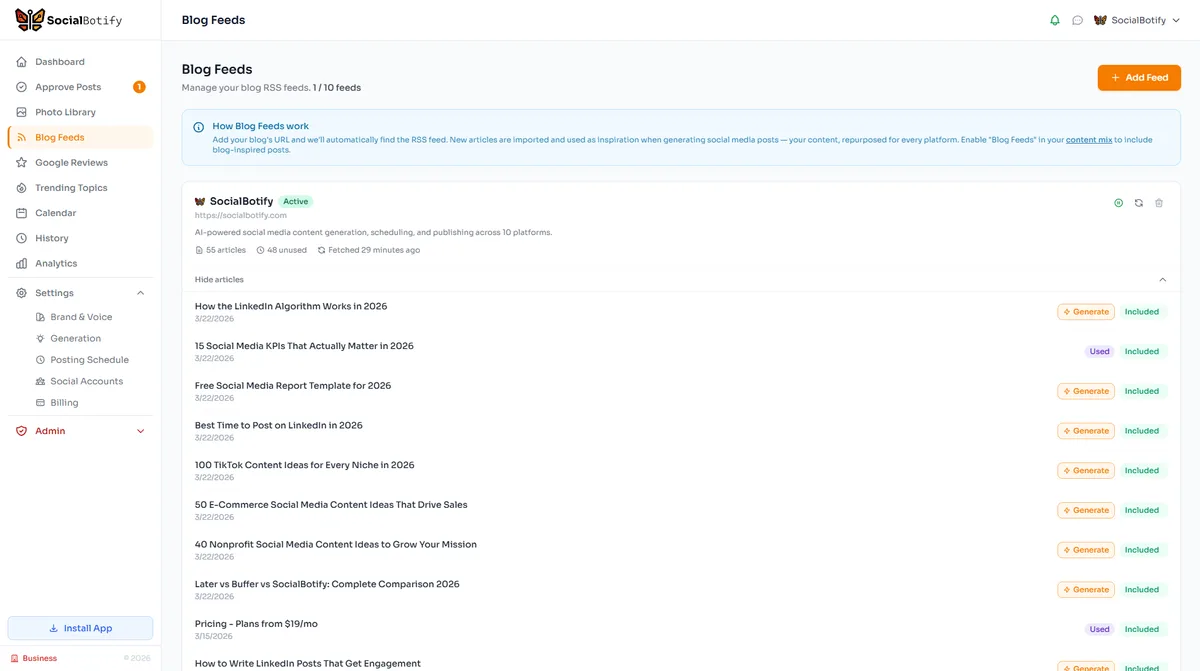
Turn Your Blog into a Social Media Engine
SocialBotify reads your blog, generates platform-optimized posts, and schedules them automatically. One blog post becomes two weeks of content.
No credit card required · Cancel anytime