AI-Generated LinkedIn Posts That Don't Sound Like AI
Everyone can spot a generic AI post. Here's how to make yours sound like you actually wrote them.
No credit card required · 7-day free trial · Plans from $19/mo
Key Takeaways
Why Do Most AI LinkedIn Posts Feel Generic?
The core problem with most AI-generated LinkedIn content is that it reads like a press release written by committee. Default AI output gravitates toward safe, corporate language because that is what dominates its training data. You get posts filled with phrases like "I'm thrilled to announce," "in today's fast-paced business landscape," and "let's connect and grow together." These phrases are so overused that readers' eyes glaze over before they reach the second line. The result is a feed full of posts that could have been written by anyone, about anything, for no one in particular.
What is missing from generic AI posts is exactly what makes human writing compelling: personality, lived experience, and the willingness to take a stance. When every post sounds like a motivational poster, none of them stand out. A Sprout Social study found that 64% of consumers want brands to connect with them on a human level, and that principle applies even more strongly to personal LinkedIn profiles where authenticity is the currency of influence.
The good news is that AI is not the problem. The prompt is. When you feed AI generic instructions like "write a LinkedIn post about leadership," you get exactly what you asked for: a generic post about leadership. The fix is not avoiding AI altogether but learning how to guide it toward output that reflects your unique voice, experiences, and professional perspective.
What Are the 5 Elements of an Authentic AI LinkedIn Post?
Every LinkedIn post that resonates with your audience shares these five characteristics. Missing even one of them produces content that feels hollow and forgettable. When all five work together, the result is a post that reads as genuinely yours, even though AI helped you write it.
1. A Genuine Perspective or Opinion
Great posts take a stance. Instead of "networking is important," try "most networking advice is terrible, and here's what actually works." Readers engage with opinions, not encyclopedia entries.
2. Specific Details from Your Experience
Replace vague generalities with concrete numbers, client stories, or lessons from specific situations. "I lost a $50K deal because I talked too much in the pitch" beats "listening is an underrated skill."
3. Conversational Language
Write like you talk, not like you are drafting a corporate memo. Use contractions, short sentences, and words your actual colleagues would use. Drop the jargon that makes you sound like a management textbook.
4. A Hook That Stops the Scroll
The first line determines whether anyone reads the rest. Lead with a surprising stat, a contrarian take, or a question that challenges assumptions. Never start with "I'm excited to share."
5. A Question That Invites Discussion
End with something your audience genuinely wants to answer. Not "what do you think?" but "what's the worst advice you received early in your career that you had to unlearn?" Specific questions get specific (and plentiful) responses.
What Does a Good AI LinkedIn Post Look Like? Before and After Examples
See the difference that proper prompting and personalization make. Each "before" post uses default AI output. Each "after" post applies the five elements above.
Example 1: Leadership Post
"I'm thrilled to share some thoughts on leadership. In today's fast-paced business landscape, great leaders must be adaptable, empathetic, and visionary. Leadership is not about titles, it's about impact. What does leadership mean to you? #Leadership #Management #Growth"
"My best manager never gave me advice. She asked questions. When I brought her a problem with a client project, she'd say 'What have you already tried?' and 'What would you do if I wasn't here?' I hated it at the time. Now I use the same approach with my team and our project completion rate went up 34% in six months. The hardest part of leadership isn't knowing the answer. It's resisting the urge to give it. What's a leadership habit you picked up from someone else?"
Example 2: Industry Trends Post
"AI is transforming the marketing industry. Companies that adopt AI tools early will gain a competitive advantage. Here are 5 ways AI is changing marketing: 1) Content creation 2) Analytics 3) Personalization 4) Customer service 5) Ad targeting. Are you ready for the AI revolution? #AI #Marketing"
"Unpopular opinion: 90% of 'AI marketing tools' are just fancy templates. I tested 12 AI writing tools last quarter for our agency's content workflow. Only 2 actually saved time. The rest created more editing work than writing from scratch. The problem isn't the AI. It's that most tools treat every brand the same. A B2B cybersecurity firm and a local bakery get identical output. The tools that worked? They learned our clients' voices first. Here's what I'd check before buying any AI marketing tool in 2026: Does it ask about your audience before generating anything?"
Example 3: Tips and Lessons Post
"5 productivity tips for professionals: 1) Prioritize your tasks 2) Use time blocking 3) Eliminate distractions 4) Take regular breaks 5) Set clear goals. Implementing these strategies can help you achieve more in less time! #Productivity #Success #Tips"
"I spent $2,000 on productivity courses last year. The thing that actually made me more productive cost $0. I stopped checking Slack before 10am. That's it. For three years, I started every morning responding to other people's priorities. My own deep work got pushed to afternoons when my energy was shot. The first week without morning Slack was uncomfortable. By week three, I was finishing projects a full day earlier. I tried the fancy systems: Pomodoro, GTD, time blocking. They all helped a little. But protecting my first three hours helped a lot. What's one small change that made the biggest difference in your workday?"
How Should You Prompt AI for Better LinkedIn Posts?
The quality of your AI LinkedIn posts is directly proportional to the quality of your prompt. A Stanford study on AI-assisted writing found that users who provided detailed context about their audience and tone produced content rated 47% more authentic by readers compared to those using generic prompts. The framework below works whether you are using ChatGPT, Claude, or any other AI writing tool. The key insight is that AI needs the same context a human ghostwriter would need to write in your voice.
Think of your prompt as a creative brief. The more specific you are about who you are, who you are writing for, and what you want the reader to feel, the more human the output becomes. Here is a framework you can use immediately.
The 4-Part Prompting Framework
Your Industry and Role
"I'm a fractional CFO who works with SaaS startups between Series A and B." Not just "I work in finance."
Your Tone and Style
"Direct, slightly irreverent, uses short sentences. No corporate buzzwords. Think newsletter, not press release."
A Specific Experience
"Last week a founder asked me to 'make the numbers work' for their board deck. I had to explain why that's a red flag."
What NOT to Write
"Don't use emojis, don't start with 'I'm excited to share,' don't include hashtags, and don't end with 'follow me for more.'"
Most people skip steps three and four, which is exactly why most AI posts sound the same. The negative constraints in step four are particularly powerful because they prevent the AI from falling back on its most generic patterns. When you tell AI what to avoid, you force it to find more creative and authentic alternatives that better reflect your individual voice and professional style.
How Does SocialBotify Make Authentic AI Posts Automatic?
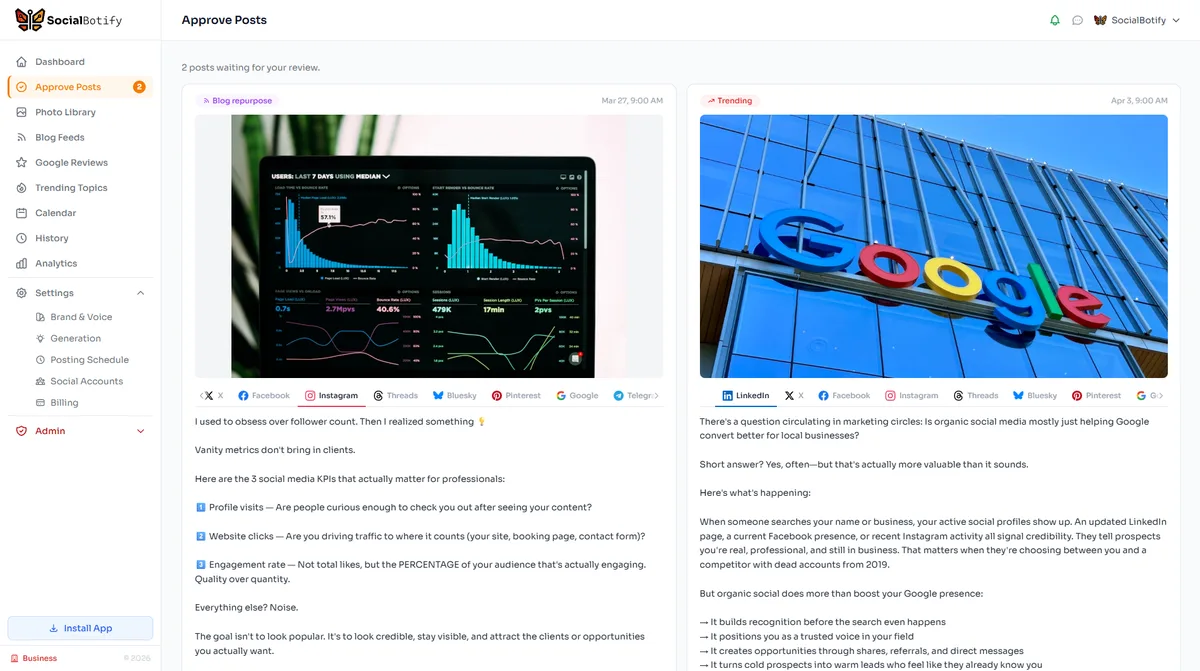
Everything in this guide comes down to one thing: giving AI enough context to write like you. SocialBotify automates that entire context-building process. When you create your brand profile, the system analyzes your website, extracts your industry terminology, identifies your natural tone, and builds a voice profile that informs every post it generates. You never have to write a prompt.
Beyond voice matching, SocialBotify applies a research-backed content strategy to your LinkedIn presence. Instead of random topics, every post follows the 70/20/10 framework: educational content that builds your authority, engagement-focused posts that grow your network, and occasional persuasive posts that drive business results. The AI picks topics relevant to your industry and creates posts that follow LinkedIn best practices for format, length, and structure.
The approval workflow ensures nothing publishes without your review. You see every post before it goes live, edit inline if needed, and approve in one sitting. The entire weekly process takes about five minutes. For professionals who want their LinkedIn active but do not have hours to write, it is the difference between going silent and showing up consistently.
Frequently Asked Questions
Want to automate more than just LinkedIn? See our 2026 posting frequency guide for every platform.
Stop Writing LinkedIn Posts That Sound Like Everyone Else
SocialBotify learns your voice and writes LinkedIn content that sounds like you. Review and approve in 5 minutes a week.
Start Your Free Trial →No credit card required · Cancel anytime