Facebook Scheduling Guide
How to Schedule Facebook Posts
A complete walkthrough for scheduling Facebook posts using Meta Business Suite and AI-powered tools. Save hours every week and post at the perfect time.
No credit card required · 7-day free trial · Plans from $19/mo
Facebook remains the largest social media platform in the world, with nearly three billion monthly active users as of 2026. For businesses that rely on organic reach, scheduling posts in advance is one of the most effective ways to maintain a consistent presence without consuming hours of your week. Whether you run a local shop, a growing startup, or a personal brand, learning how to schedule Facebook posts properly gives you a predictable publishing rhythm that the algorithm rewards. This guide walks you through two methods: the free native scheduler inside Meta Business Suite and the AI-powered approach using third-party tools. By the end, you will know exactly which method fits your workflow and how to get the most engagement from every scheduled post.
Why Should You Schedule Facebook Posts in Advance?
Scheduling Facebook posts is not just a convenience feature. It is a strategic advantage that directly impacts how many people see your content. Facebook's News Feed algorithm uses hundreds of signals to decide which posts appear in a user's feed, and posting consistency is one of the strongest. Pages that publish on a predictable schedule signal to the algorithm that they are active and reliable, which results in higher organic distribution. According to  Sprout Social's analysis of billions of social media engagements
, brands that maintain a regular posting cadence see up to twice the reach of those that post irregularly. Beyond algorithmic benefits, scheduling lets you batch-create content in focused sessions instead of scrambling for ideas every day.
Sprout Social's analysis of billions of social media engagements
, brands that maintain a regular posting cadence see up to twice the reach of those that post irregularly. Beyond algorithmic benefits, scheduling lets you batch-create content in focused sessions instead of scrambling for ideas every day.
There is also a quality improvement that comes from planning ahead. When you schedule a full week of Facebook posts in one sitting, you can ensure your content mix is balanced across promotional, educational, and engagement-driven posts. You can spot gaps before they happen and adjust your messaging to align with upcoming events, holidays, or product launches. Real-time posting, by contrast, tends to produce reactive content that lacks strategic direction. If you are already using social media automation for other platforms, adding Facebook scheduling to your workflow is straightforward and multiplies the time savings across your entire marketing operation.
How Do You Schedule Facebook Posts with Meta Business Suite?
Meta Business Suite is Facebook's free, built-in tool for managing your Page. It replaced the older Facebook Creator Studio and provides a straightforward way to compose, schedule, and manage posts. Here is a step-by-step walkthrough of the native scheduling process.
Open Meta Business Suite
Go to business.facebook.com and select the Facebook Page you want to post from. From the home dashboard, click "Create post" or navigate to Content > Create post in the left sidebar.
Write Your Post and Add Media
Type your caption in the text area. Click "Add photo/video" to attach images or video. You can also toggle on Instagram cross-posting if your accounts are linked. Preview how the post will look before scheduling.
Set the Schedule Date and Time
Click the dropdown arrow next to the blue "Publish" button and select "Schedule". A date and time picker will appear. Choose your desired publishing time. Aim for peak engagement hours (see the best times section below).
Review and Confirm
Double-check your caption, media, links, and scheduled time. Click "Schedule" to confirm. The post will appear in your Scheduled Posts tab where you can edit, reschedule, or delete it before it goes live.
Meta Business Suite works well for basic scheduling on Facebook and Instagram, but it has limitations. You cannot schedule to other platforms like LinkedIn, X, or Pinterest from the same interface. There is no AI-powered caption generation, no content calendar with drag-and-drop, and no team approval workflows. For businesses managing multiple platforms, a dedicated scheduling tool is significantly more efficient.
How to Schedule Facebook Posts with AI Using SocialBotify
If you want to go beyond basic scheduling and automate the entire content creation process, AI-powered tools offer a fundamentally different workflow. Instead of writing every post manually, you provide your brand details once and the AI generates platform-optimized content on an ongoing basis. Here is how it works with SocialBotify's AI post generator.
Connect Your Facebook Page
Sign up for SocialBotify and connect your Facebook Page through the secure OAuth flow. You can also connect LinkedIn, Instagram, X, and seven other platforms at the same time.
Set Your Brand Voice and Topics
Describe your business, target audience, and preferred tone. Add your website URL and any key topics you want to cover. The AI uses this to generate content that sounds like your brand.
Generate and Review Posts
Click generate and the AI creates a week of Facebook-optimized posts with captions, images, and hashtags. Review each post, make edits if needed, and approve the ones you want to publish.
Approve and Auto-Publish
Approved posts are scheduled at optimal times and published automatically. The content is adapted for each platform, so a Facebook post, a LinkedIn update, and an Instagram caption are all tailored appropriately.
Skip the Manual Work
SocialBotify's AI generates Facebook posts in your brand voice, schedules them at peak times, and publishes across 10 platforms automatically.
Try the AI Post Generator →Native vs Third-Party Facebook Scheduling Tools
Choosing the right scheduling method depends on your needs. Here is how Meta Business Suite compares with AI-powered tools like SocialBotify, Buffer, and Hootsuite.
| Feature | Meta Business Suite | Third-Party Tools |
|---|---|---|
| Price | Free | $19-129/mo |
| Platforms Supported | Facebook + Instagram | 10+ platforms |
| AI Caption Writing | No | Yes |
| Auto Image Selection | No | Yes |
| Content Calendar View | Basic | Advanced |
| Brand Voice Training | No | Yes |
| Cross-Platform Adaptation | Limited (FB + IG) | Full (10 platforms) |
| Best For | Solo FB/IG only | Multi-platform teams |
For businesses that only post to Facebook and Instagram, Meta Business Suite is a solid free option. However, most growing businesses quickly outgrow it once they need to publish across LinkedIn, X, Pinterest, or other platforms. Third-party tools like SocialBotify also eliminate the content creation bottleneck entirely by generating posts with AI, which is the biggest time savings for teams that struggle to keep up with daily publishing demands. If you are evaluating alternatives, our Buffer alternative comparison breaks down the key differences in detail.
What Are the Best Times to Post on Facebook in 2026?
Timing your scheduled posts for peak engagement windows makes a measurable difference in reach. These benchmarks are based on aggregate data across business pages. For a full breakdown by industry and day, see our dedicated best time to post on Facebook guide.
| Day | Best Time | Engagement Level |
|---|---|---|
| Monday | 9 AM - 12 PM | Moderate |
| Tuesday | 9 AM - 11 AM | High |
| Wednesday | 9 AM - 12 PM | High |
| Thursday | 10 AM - 12 PM | High |
| Friday | 9 AM - 11 AM | Moderate |
| Saturday | 10 AM - 1 PM | Low - Moderate |
| Sunday | 11 AM - 1 PM | Low |
Times shown in your audience's local timezone. Source:  Hootsuite Social Trends Report, 2026
.
Hootsuite Social Trends Report, 2026
.
These general benchmarks are a strong starting point, but your specific audience may behave differently. Check your Facebook Page Insights under the "When Your Fans Are Online" section to see your actual audience activity patterns. The most effective strategy is to start with these recommended windows, test different time slots over two to three weeks, and then double down on the times that generate the highest engagement for your page. SocialBotify automatically schedules posts during peak windows based on platform best practices, so you do not have to manage timing manually.
How Often Should You Post on Facebook for Maximum Reach?
Facebook posting frequency is a common source of confusion for businesses. Post too little and you fade from your audience's feed entirely. Post too much and your engagement per post drops because Facebook limits how often a single page appears in a user's News Feed. The research points to a clear optimal range. According to  HubSpot's State of Marketing report
, business pages that post three to five times per week see the highest overall engagement rates. Pages posting more than once per day actually see a 50% drop in average engagement per post because the algorithm distributes attention across the posts rather than concentrating it. Quality and consistency matter more than volume on Facebook in 2026.
HubSpot's State of Marketing report
, business pages that post three to five times per week see the highest overall engagement rates. Pages posting more than once per day actually see a 50% drop in average engagement per post because the algorithm distributes attention across the posts rather than concentrating it. Quality and consistency matter more than volume on Facebook in 2026.
The ideal approach is to schedule three to five high-quality Facebook posts per week, spaced evenly across your peak engagement days. Combine this with occasional Facebook Stories and Reels to maximize your visibility across different content surfaces. A content strategy that maps out post types, topics, and timing in advance makes it far easier to maintain this cadence week after week. Scheduling tools remove the execution burden so you can focus on the strategy rather than the daily grind of publishing. For more data on optimal frequency across all platforms, see our posting frequency guide.
One more critical factor to consider is content format diversity. Facebook's algorithm in 2026 rewards pages that use multiple content formats rather than posting only text-and-link updates. Mix your scheduled content across image posts, video posts, link shares, and native text posts. Video content receives approximately 135% more organic reach than image posts on Facebook, according to Sprout Social's engagement data. If you are scheduling an entire week at once, aim for at least two different formats to keep the algorithm working in your favor and your audience engaged with varied content experiences.
Facebook Scheduling FAQ
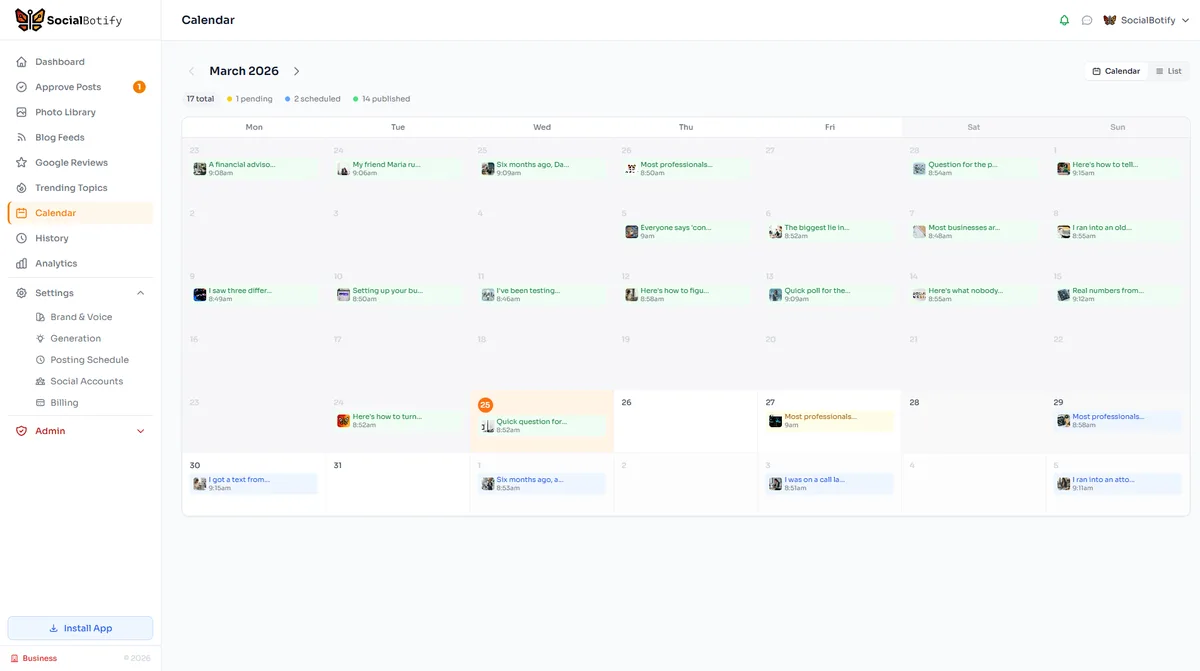
Let AI Schedule Your Facebook Posts
Stop spending hours writing posts and timing them manually. SocialBotify generates, schedules, and publishes your Facebook content automatically.
No credit card required · 7-day free trial · Plans from $19/mo