How to Connect Your Google Reviews
Share your Google Maps link — that's it. SocialBotify handles the rest. Works for every business type, on desktop and mobile.

Find your business on Google
Open Google Maps (or the Google Maps app on your phone) and search for your business name. You can also just Google your business name in a regular search — your Google Business listing will appear in the results.
Tap the Share button
Once you see your business listing, tap the Share button. This works from:
- Google Maps (desktop or mobile app) — the share icon is on the business panel
- Google Search (desktop or mobile) — the share icon is on your business card in search results
Copy the link
A share dialog will appear. Copy the link to your clipboard — it will look something like one of these:
maps.app.goo.gl/fXQH2...
Google Maps
share.google/wFJd6...
Google Search
Paste in SocialBotify and connect
Go to the Google Reviews page in your SocialBotify dashboard. Paste the link into the connection field and click Connect. SocialBotify will automatically identify your business and import your reviews.
Once connected, you'll see your business name confirmed, and your reviews will sync automatically. Google provides up to 5 of your most recent reviews. Use the star rating filter and individual toggles to control which reviews appear in your social proof posts.

Turn your Google Reviews into social media content
Your best customer reviews are already written — why not share them? SocialBotify's Business plan automatically turns your Google Reviews into compelling social proof posts across LinkedIn, Facebook, Instagram, and all your connected platforms. Real testimonials, zero writing required. Start your free trial.
After connecting
What happens with your reviews
Once connected, SocialBotify uses your reviews to create authentic social proof content automatically.
Reviews become social proof posts
SocialBotify weaves real customer quotes and star ratings into social proof posts. These feel authentic because they are authentic — your customers' actual words shared across all your connected platforms.
You control which reviews are used
Set a minimum star rating (3+, 4+, or 5 only) and toggle individual reviews on or off. Only enabled reviews above your threshold will appear in generated content.
Reviews sync automatically
SocialBotify checks for new reviews weekly. You can also sync manually any time. Google provides up to 5 of your most recent reviews, so your social proof posts stay fresh with recent testimonials.
Alternatives
Other ways to connect
The share link method above works for everyone. Here are other options.
Search by business name
Type your business name directly in SocialBotify's Google Reviews page and select from the results. Include your city for better results. Note: some service-area and online-only businesses may not appear in search — use the share link method instead.
Google Business Profile review link
If you manage your listing at business.google.com, you can find a review link under Get more reviews → Share profile. The link starts with g.page/r/ and works the same way.
Full Maps URL or Place ID
You can also copy the full URL from your browser's address bar when viewing your business on Google Maps, or paste a Place ID directly (starts with "ChIJ"). SocialBotify's smart input handles all formats automatically.
Frequently asked questions
Service-area businesses (plumbers, photographers, consultants), online-only businesses, and some newer listings aren't indexed in Google's searchable database. Your business still appears on Google Search and Maps for customers — it's just not available through the API. Use the share link method instead: find your business on Google Maps, tap Share, and paste the link.
Google's API provides up to 5 of your most recent reviews at a time. This is a Google-imposed limit that applies to all third-party apps. SocialBotify syncs weekly, so as new reviews come in, your social proof posts stay fresh.
Yes, Google Reviews integration is available on SocialBotify's Business plan, which includes Google Reviews, AI-generated images, stock photo library, and unlimited post generation. View pricing.
Your listing may not have reviews with text content (star-only ratings without text aren't imported), may be too new, or Google's API may not provide reviews for your business type. If you can see reviews on Google but SocialBotify can't import them, try disconnecting and reconnecting using a different method.
SocialBotify accepts all common Google link formats:
Google Maps share links (maps.app.goo.gl/...), Google Search share links (share.google/...), full Google Maps URLs, review links (g.page/r/...), and Place IDs (ChIJ...). Desktop and mobile links both work.
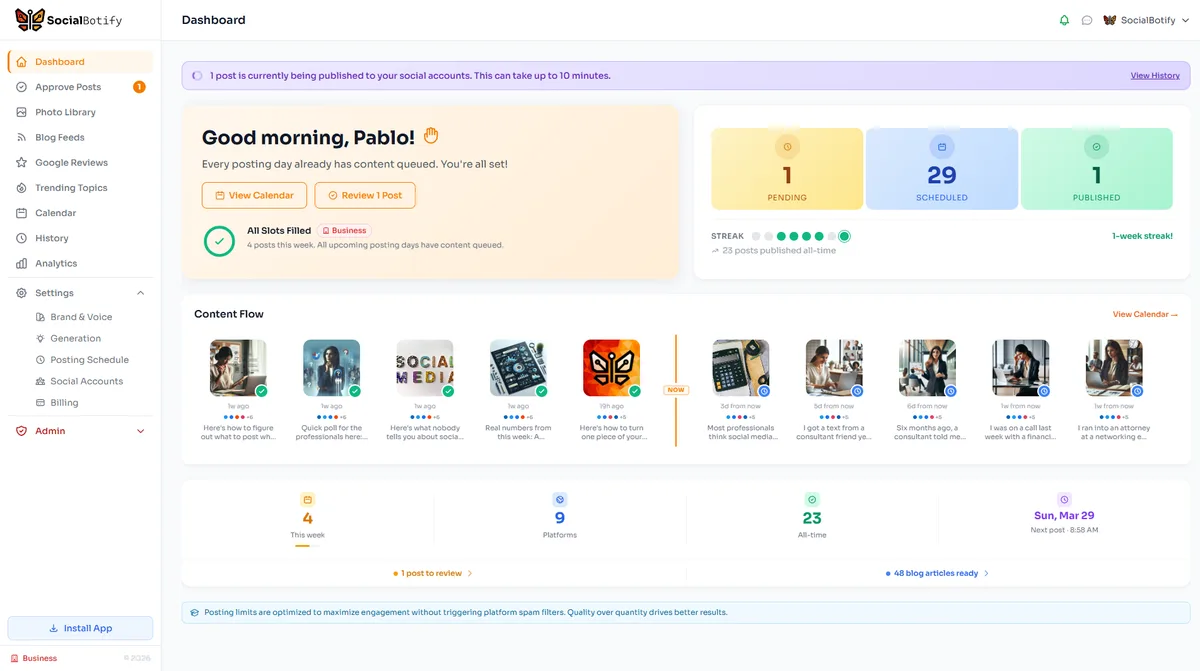
Ready to start posting on Google Reviews?
Let SocialBotify handle your Google Reviews content. AI writes posts in your brand voice, you review them once a week, and they publish automatically. 5 minutes a week instead of 5 hours.
Start your free trial →7-day free trial · No credit card required · Cancel anytime