Step-by-Step Guide
How to Create a Bluesky Account
Bluesky is the decentralized social network built on open technology, giving you full control over your online identity. This guide walks you through creating your account from scratch -- no technical knowledge needed.

What you'll need before you start
That's it -- no invite code, no phone number, no existing account needed. Bluesky is open to everyone.
Create your Bluesky account in 7 steps
Go to bsky.app or download the Bluesky app
Open your web browser and navigate to bsky.app. This is the official Bluesky website where you can create your account and start using the platform right away.
Alternatively, you can download the Bluesky app from the Apple App Store (iPhone/iPad) or Google Play Store (Android). The app is free and works identically to the web version.
What you'll see: A clean welcome screen with Bluesky's butterfly logo, a "Sign in" button, and a "Create a new account" button.
Click "Create a new account"
On the welcome screen, click or tap the "Create a new account" button. This starts the sign-up process, which takes just a few minutes to complete.
If you already have an account on Bluesky, you would click "Sign in" instead. But since we're creating a brand-new account, go with "Create a new account."
Choose your hosting provider
You'll be asked to choose a "hosting provider." This might sound technical, but don't worry -- just select "Bluesky Social", which is already pre-selected as the default.
Click "Next" to continue.
What does "hosting provider" mean? Because Bluesky is decentralized, your account data can technically live on different servers. "Bluesky Social" is the official server run by the Bluesky team. It's free, reliable, and the right choice for 99% of users. Think of it like choosing Gmail when you sign up for email -- it's the standard option.
Enter your email address and create a password
Type in the email address you want to associate with your Bluesky account. This will be used for account recovery and verification.
Then create a strong password. Use a mix of uppercase and lowercase letters, numbers, and symbols. Make it at least 12 characters long.
You'll also need to enter your date of birth. This is used to confirm you meet the age requirements. Your birthday is not displayed publicly.
Tip: Use a password manager to generate and store a unique password. If you use the same password across multiple sites and one gets breached, all your accounts are at risk.
Choose your handle
Your handle is your unique identity on Bluesky. It will look like @yourname.bsky.social. This is what people will use to find and tag you.
Pick something that is:
- Professional -- your real name or brand name works best
- Consistent -- match the username you use on other platforms when possible
- Easy to remember -- avoid long strings of numbers or random characters
Good to know: You can change your handle later, and you can even set a custom domain as your handle (more on that in the optimization section below). So don't stress too much -- just pick something reasonable to start with.

Welcome to Bluesky!
Bluesky is the fastest-growing new social network, and early adopters have a huge advantage. SocialBotify can publish to Bluesky alongside 9 other platforms -- so you can build your presence here without any extra work. Start your free 7-day trial →
Complete the verification
Bluesky will ask you to solve a captcha to confirm you're a real person, not a bot. This is usually a simple image puzzle -- just follow the on-screen instructions.
After that, Bluesky will send a verification email to the address you entered in Step 4. Go to your inbox, find the email from Bluesky, and click the verification link.
Don't see the email? Check your spam or junk folder. The email comes from Bluesky and usually arrives within a minute. If it still hasn't shown up after a few minutes, click "Resend verification email."
Customize your profile
Now for the fun part -- making your profile yours. Here's what to fill in:
Display name -- Your real name or brand name. This appears in bold above your handle.
Bio -- You have 256 characters to describe who you are and what you do. Be clear and specific. Example: "Marketing consultant helping small businesses grow online. Sharing tips on SEO, content strategy, and social media."
Profile picture -- A clear headshot or your brand logo. Square images work best. This is the first thing people see, so make it count.
Banner image -- A wide image at the top of your profile. Recommended size: 1500 x 500 pixels. Use something that represents your brand or personality.
SocialBotify can write your Bluesky bio for you
SocialBotify generates an optimized bio tailored to your brand voice and Bluesky's 256-character limit — with the right keywords to help people find you. Go to Settings → Brand → Bio Generator and copy your ready-to-use Bluesky bio with one click.
Finally, Bluesky will ask you to choose your interests. Select topics that matter to you -- this helps personalize your feed so you see content you actually care about. You can always change these later.
What you'll see: After choosing your interests, you'll land on your home feed. Your account is now live and ready to use. You can start following people, posting, and exploring the platform.
Optimize your Bluesky profile
Your account is created -- now let's make it stand out. These tips will help you look professional, build credibility, and grow faster.
Use your own domain as your handle
This is one of Bluesky's most unique features. Instead of @yourname.bsky.social, you can use your own domain as your handle -- like @yourdomain.com.
This works like a verified badge because only the owner of a domain can set it up. It proves you are who you say you are. For example, a journalist at a news outlet could use @journalist.newsoutlet.com, instantly verifying their identity.
To set this up, go to Settings > Handle > "I have my own domain" in Bluesky. You'll add a DNS record to your domain -- Bluesky gives you the exact record to add. If you own a domain, this is well worth the 5 minutes it takes to configure.
Choose good feeds to follow
Unlike most social networks where you're stuck with one algorithm, Bluesky lets you choose from custom feeds -- think of them as different "channels" you can browse. Each feed shows posts matching a specific topic or criteria.
To explore feeds, tap the search icon and browse by category, or search for feeds by topic (like "Marketing," "Tech News," or "Photography"). Pin the ones you like for quick access.
Your default feeds are "Following" (posts from people you follow) and "Discover" (trending content). Add feeds that match your industry to stay connected with your niche.
The AT Protocol, explained simply
You'll hear the term "AT Protocol" (or "atproto") around Bluesky. Here's what it means in plain language:
Traditional social networks like X (Twitter), Facebook, and Instagram are centralized -- one company owns the platform, your data, and your account. If that company changes the rules, you have no choice but to accept it or leave (and lose your followers).
The AT Protocol is the open technology that powers Bluesky. It's decentralized, which means:
- You own your identity -- your handle and data can move between services
- No single company controls everything -- the protocol is open-source
- You choose your experience -- pick your own feeds, moderation, and algorithms
For everyday use, you don't need to think about the AT Protocol at all. Just use Bluesky like any other social network. But it's good to know that the technology behind it is designed to give you more power over your online presence.
Use starter packs to find your community
Starter packs are curated lists of accounts around a specific topic or community. They're the fastest way to populate your feed with great content and connect with the right people.
To find them, search for your industry or interest plus "starter pack" in Bluesky's search. For example, searching "marketing starter pack" will show lists of top marketing professionals on the platform.
You can also create your own starter pack once you've been on the platform for a while. It's a great way to build community and get others to follow you.
Create a great banner image
Your banner image is prime real estate at the top of your profile. The recommended size is 1500 x 500 pixels (a 3:1 aspect ratio).
Use it to reinforce your personal brand. Good banner ideas include: a photo of you speaking at an event, your product or workspace, a branded graphic with your tagline, or a clean pattern in your brand colors. Free tools like Canva have Bluesky banner templates that make this easy.
Connect your Bluesky account to SocialBotify
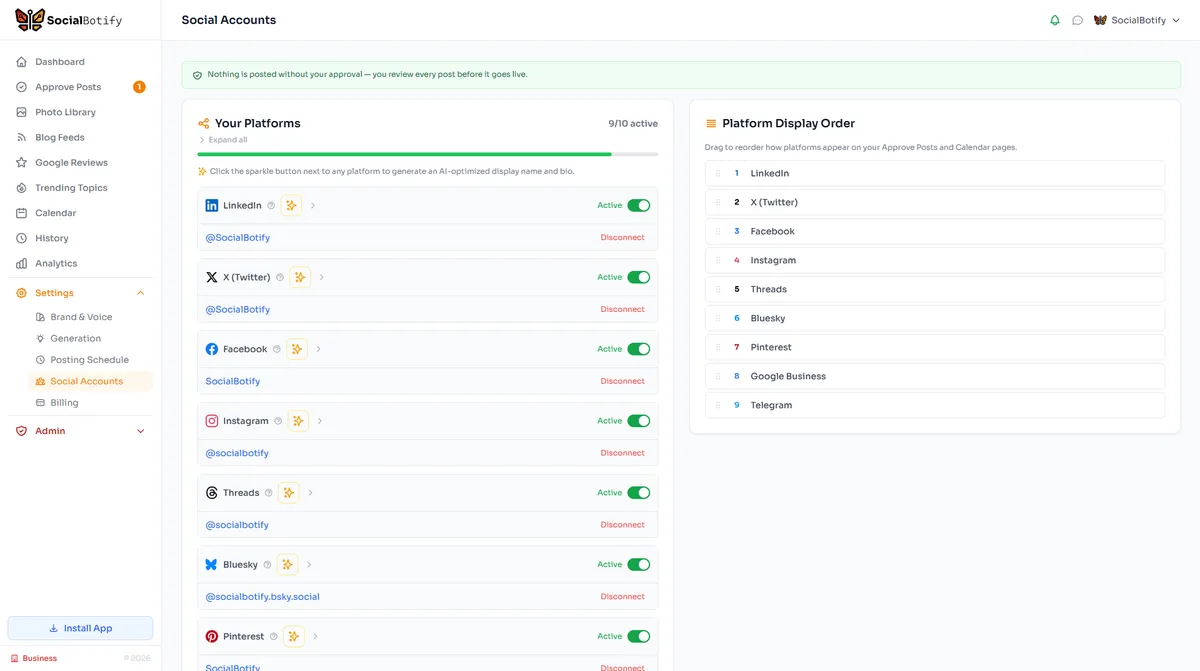
SocialBotify uses a Bluesky App Password — not your main account password. This keeps your account secure while allowing SocialBotify to post on your behalf. Here's how to set it up:
- In Bluesky, go to Settings → Privacy and Security → App Passwords
- Click "Add App Password" and name it SocialBotify
- Copy the generated password immediately — it's shown only once
- In SocialBotify, go to Connected Accounts → Add Account → Bluesky
- Enter your full handle (e.g., username.bsky.social) and the app password
Your handle must include the full domain — enter username.bsky.social, not just username.
Tip: If you see "Invalid credentials" on the first attempt, wait 30 seconds and try again. Bluesky app passwords need a moment to propagate after creation.
Grow faster on Bluesky with SocialBotify
Bluesky is still in its early growth phase -- which means less competition and more organic reach. SocialBotify helps you take advantage of this window by keeping your Bluesky feed consistently active with professional content. Publish to Bluesky and 9 other platforms from one dashboard. Start your free 7-day trial →
Frequently asked questions
Everything else you might want to know about Bluesky.
Ready to start posting on Bluesky?
Let SocialBotify handle your Bluesky content. AI writes posts in your brand voice, you review them once a week, and they publish automatically. 5 minutes a week instead of 5 hours.
Start your free trial →7-day free trial · No credit card required · Cancel anytime